Free Claude Code Tutorial — No Coding Required

The Only Course Taught INSIDE Claude Code
Learn Claude Code IN Claude Code! This free course teaches you AI by actually doing it - no videos, no docs, no coding experience required. Just real work inside Claude Code itself.
The video above shows the older download flow - setup is now a single pasted prompt.
- Install the Claude app, paste one prompt to get the course, then type
/start-1-1 - Claude guides you through each lesson interactively
- You learn by doing real work with real files
Start Right Now in the Claude Desktop App
Open Claude, start a new project, and paste this into the Code tab:
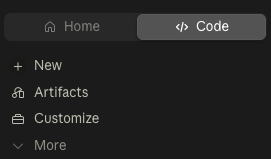
Claude pulls in the course materials and tells you how to begin. Don’t have the app yet? The Installation Guide gets you set up in 15 minutes, and 0.2: Get the Course & Start (100% free) walks through this step by step.
Prefer the terminal? Claude Code CLI guide →
Who This Course Is For
Non-technical people who want to use AI effectively for real work.
- No coding experience required
- No terminal experience required
- Just curiosity and a willingness to try something new
If you can have a conversation, you can use Claude Code.
What You’ll Learn
Module 1: Fundamentals (~3 hours)
- File operations: Read, transform, and create documents with the @ symbol
- Visual workspace: Set up a split-screen workflow to see files as Claude works
- Parallel agents: Launch multiple Claude instances to process files simultaneously
- Custom sub-agents: Create permanent AI advisors with different perspectives
- Project memory: Use CLAUDE.md so Claude remembers your project context
- Commands & shortcuts: Slash commands, keyboard shortcuts, power user features
Module 2: Vibe Coding (~1-2 hours)
- Setup & mindset: The vibecoding approach - you describe, Claude builds
- Planning: Interview process to define clear requirements before building
- Build & iterate: Scaffold your app and refine it with screenshots
- Version control: Back up your work with GitHub
- Go live: Deploy to Vercel with a real URL anyone can visit
Free Guides & Reference
Not ready for the full course? Start with the guide library: plain-English Claude Code guides for non-coders.
- Claude Code for Non-Developers - The complete guide, including your first week
- The Cheat Sheet for Non-Coders - The 10 commands that matter
- Skills, Agents, MCP, Plugins Explained - Every confusing term in plain English
- Limits & Pricing Explained - What it costs and how to stretch it
How It Works
- Install Claude - the desktop app, 15 minutes
- Paste one prompt - Claude pulls in the practice files and lesson scripts for you
- Type
/start-1-1- Claude begins teaching you interactively - Learn by doing - Every concept includes hands-on practice
These reference pages provide deeper explanations and quick lookups while you work through the interactive lessons.
Prerequisites
- Claude Pro or Max subscription ($20/month) - Sign up here
- Mac, Windows, or Linux computer
- ~3 hours for Module 1
No coding experience required. No terminal experience required.
About This Course
Created by Carl Vellotti.
If you have any feedback, message me on X or LinkedIn.
Join the newsletter at fullstackpm.com/cc4e for new modules, in-depth guides, and community updates.
Source Repository: github.com/carlvellotti/claude-code-everyone-course
Disclaimer
This course and its creator are not affiliated with, endorsed by, or sponsored by Anthropic. I’m an independent creator who loves Claude Code and wanted to help people learn how to use this tool effectively.