Mini Lessons
Vin Obsidian Workflows
What This Is
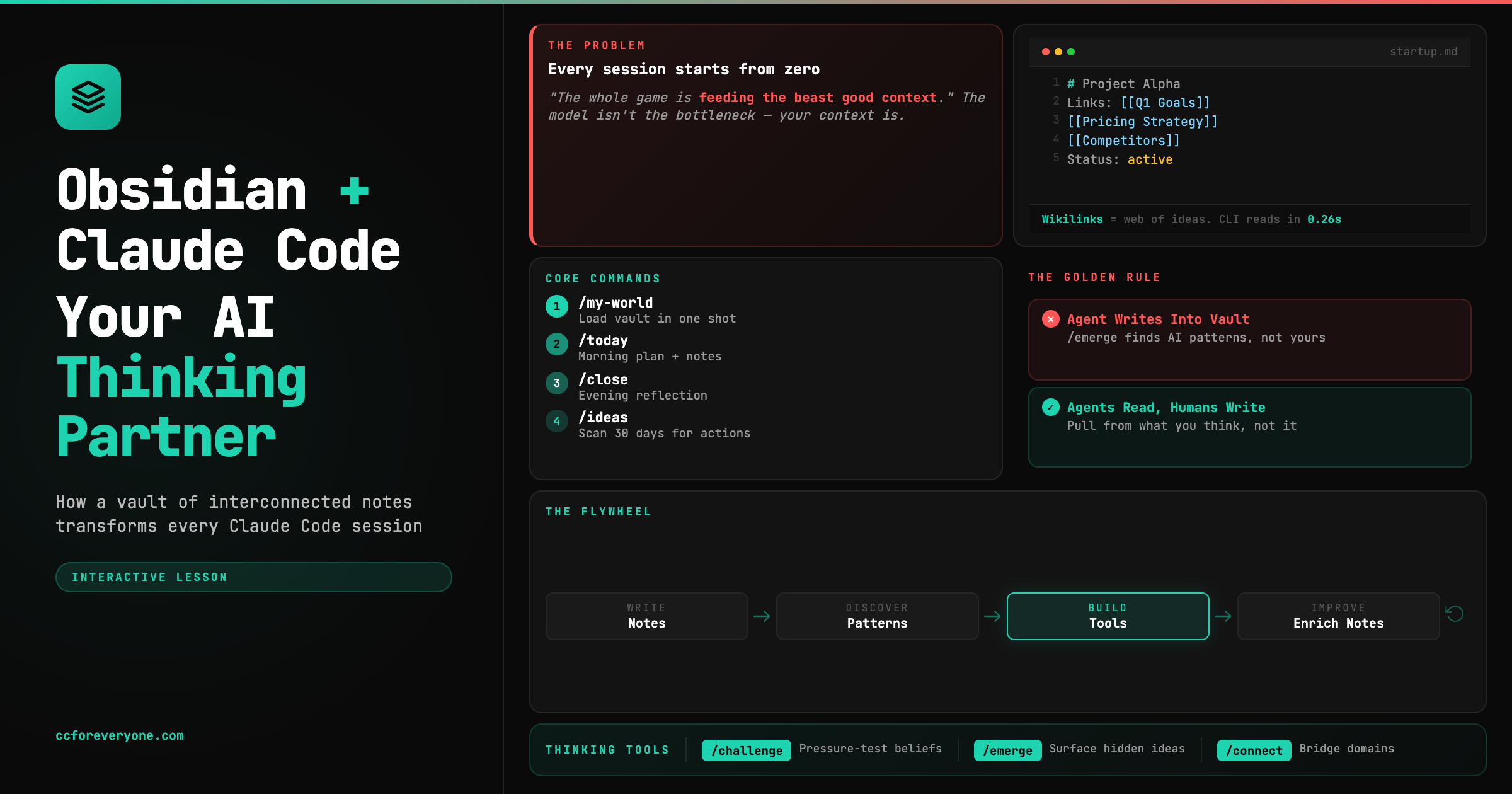
An interactive version of Greg Isenberg’s interview with Internet Vin, where Vin demonstrates how an Obsidian vault of interconnected notes transforms Claude Code from a generic assistant into a personalized thinking partner.
Source: The Obsidian + Claude Code System That Changes Everything
What You’ll Learn
- Obsidian as AI infrastructure - why a vault of interconnected markdown notes is the missing context layer for Claude Code
- The /my-world command - one command that loads your entire world into any Claude Code session
- Thinking tools - commands like /challenge, /emerge, and /connect that surface patterns you’d never see on your own
Watch the Source
Get Started
This lesson runs in the Claude Desktop app. Open Claude, start a new project, and paste this prompt:
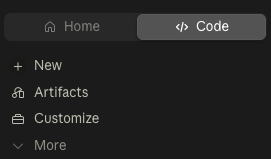
In the Claude Desktop app, click the Code tab (upper left), start a new project, and paste:
Once the lesson materials are installed, type /start-lesson.
Prefer the terminal? Open Claude Code in a new folder and paste the same prompt. See the Claude Code CLI guide for setup help.
What’s Covered
1. The Context Problem
Most people hit a ceiling with Claude Code for one reason: every session starts from zero. You re-explain your project, your preferences, your constraints — all over again.
As Greg put it: “The whole game is feeding the beast good context.” The model isn’t the bottleneck. Your context is.
2. What is Obsidian (and Why It Matters for AI)
Obsidian is a note-taking app that stores everything as plain markdown files on your computer. Unlike Notion or Google Docs, your notes aren’t locked in someone else’s cloud — they’re .md files Claude Code can read natively.
The killer feature: wikilinks. Write [[Project Alpha]] in a note, and Obsidian creates a bidirectional link. Over time, this builds a web of connected ideas — projects link to people, people to meetings, meetings to decisions. It’s a map of how you think.
Vin said: “It works more like the way your brain works. Your brain connects these patterns all the time.”
3. The Obsidian CLI
In February 2026, Obsidian released an official command-line interface. This is the bridge that gives Claude Code access to your vault’s relationships — backlinks, orphan notes, tag counts, the full link graph. Things that don’t exist in the raw files.
The efficiency difference is massive: finding orphan notes by scanning files takes 15 seconds and millions of tokens. With the CLI, it takes 0.26 seconds and about 100 tokens.
The lesson walks you through enabling and verifying the CLI, with a fallback path for those who want to skip it.
4. Building the /my-world Command
This is the most important command Vin built (he calls it /context, but since that’s a built-in Claude Code command, we name it /my-world). Instead of re-explaining who you are every session, /my-world loads your vault — projects, priorities, connections — in one shot.
The lesson includes 10 pre-built vault notes about Claude Code best practices, all interconnected with wikilinks. You’ll build a /my-world command that reads them all and maps the knowledge graph. Or connect your own vault for even more powerful results.
5. Daily Rituals: /today and /close
Vin bookends every day with two commands:
/today— morning planning that pulls calendar, tasks, and recent notes/close— evening reflection that extracts action items and surfaces missed connections
The insight: “Writing right now is a big way of how you delegate things to agents. If you can develop a writing habit, you have a lot more context that you can pass over to an agent.”
6. Thinking Tools: /challenge, /emerge, /connect
This is Vin’s favorite part of the system — commands that don’t organize information, they generate insight:
/challenge— pressure-tests your beliefs using your vault’s own history/emerge— surfaces ideas the vault implies but you never explicitly stated/connect— bridges two disparate domains using your link graph
Greg compared it to a therapist: “You’re doing most of the talking. The therapist is guiding you. That’s what this is doing.”
You’ll build one of these and run it live against your notes.
7. The Golden Rule: Agents Read, Humans Write
The critical principle most people get wrong: never let the agent write into your vault.
Vin was emphatic: “I don’t want an agent to write into the files… I always want it to pull from what I think about things, not what it thinks about things.”
If Claude starts creating notes in your vault, then when it runs /emerge — is it finding YOUR patterns or ITS patterns? The vault must contain only what you think. Claude reads and responds. It never contaminates the source.
8. From Reflection to Action
The most impressive part of Vin’s demo: the agent started suggesting things to BUILD. His /ideas command scans 30 days of notes and produces tools to build, people to meet, essays to write.
The loop: write notes → agent finds patterns → agent suggests tools → you build them → tools improve your notes → repeat.
By the End
You’ll have:
- Obsidian connected to Claude Code (your vault or the included example vault)
- A working
/my-worldcommand that loads your world in one shot - A thinking tool (/challenge, /emerge, or /connect) you’ve run on real notes
- The “agents read, humans write” principle for keeping your vault authentic
Get the lesson: scroll up to Get Started - one pasted prompt installs everything.